The VA Enterprise Architecture (EA) is a comprehensive picture of the
Department of Veterans Affairs' operations, capabilities and services and the business processes
and IT capabilities that support them. The VA's architecture is an evolving
entity built through ongoing collaboration between business and technology leaders and staff across the administration.
As the organization evolves and strives to meet change, its architectural picture changes.
The Department of Veterans Affairs VA Technical Reference Model (VA TRM) is one component within the
overall EA that establishes a common vocabulary and structure for describing the information technology
used to develop, operate, and maintain enterprise applications. Moreover, the VA TRM, which includes the
Standards Profile and Product List, serves as a technology roadmap and tool for supporting Office of Information and Technology (OIT).
Use this site to determine the technical alignment of projects/programs as part of the Veteran-Focused Integration Process
(VIP) process.
Users can search for technologies, generate reports, review forecasts, and access release
history.
Your adherence to the VA TRM is essential to improving the technical environment within
VA. Architecture & Engineering Services (AES), specifically EA,
has overall responsibility for the VA TRM and needs your support and cooperation to make it a success.
The
TRM presents a list of assessed technologies and standards used to develop, operate, and maintain
enterprise applications. Entries on this list have undergone a strategic assessment based upon the nature of the technology.
The
TRM entry contains guidance, along with any known applicable constraints, on the permissible range of
technologies or standards that a
VA user, Office of Information and Technology (
OIT) administration support team or
Project Development Team may select or shall use. The
TRM is not intended to direct procurements, although each
entry contains available
VA licensing information, if known. Requests for an assessment of a technology
or standard can be submitted through the
TRM tool and will be assessed by subject matter experts
(
SME's) of the
TRM Management Group.
Assessment decisions are explained below:
Technologies must be operated and maintained in accordance with Federal and Department security and privacy policies and
guidelines. Individuals should work with their local Office of Information and Technology (
OIT) office Information Security Officer
(
ISO) on all instances of deployment using this technology to ensure compliance with Federal, Department,
to include any local policies and guidance.
- 'Approved' indicates the technology/standard has been approved for use.
- 'Approved w/Constraints' indicates the technology/standard may only be used within the entries specified constraints.
- 'Unapproved' means the technology or standard can be used only if a VA Plan of Actions and Milestones (POA&M) is signed.
TRM Waivers are no longer used for "TRM unapproved technologies" as the VA utilizes the risk-based decision process defined in the
VA POA&M Management Guide and
Accreditation Requirement Guide in accordance with
VA Handbook 6500 - Risk Management Framework for VA Information Systems - Tier 3: VA Information Security Program.
Please reach out to your ISSO, ISO and SS for pre-existing systems to enter a high or higher POA&M for the "TRM Unapproved technology".
- 'Prohibited' The technology/standard is not (currently) permitted to be used under any circumstances.
- 'Divest' means VA has decided to divest itself on the use of the technology/standard.
As a result, all projects currently utilizing the technology/standard must plan to eliminate their use of the technology/standard.
Additional information on when the entry is projected to become unapproved may be found on the Decision tab for the specific entry.
Implementing a technology and Section 508 Accessibility
- Section 508 is part of the Rehabilitation Act Amendments of 1998, which established guidelines for technology accessibility.
Section 508 compliance is an important part of Office of Information and Technology (OIT) tools compliance with existing Federal IT standards.
- Per VA guidance, it is a requirement that all Electronic and Information Technology (E&IT) must conform to Section 508 Standards. All applications
purchased and developed by the Department of Veterans Affairs (VA), web and web content, multimedia, and hardware must conform to Section 508 Standards.
- It is a requirement that all E&IT have a 508 review completed prior to implementation. Project managers of any technology that will
be deployed to the production environment are required to have project design and implementation plans that address 508 Compliance.
This 508 compliance review is not part of the TRM analysis process, however, entries published in the TRM will contain 508 information
if available at time of publication.
What if a technology/standard is not listed in the TRM?
- Technologies or technical standards that are NOT listed on the Technology/Standard List are considered unapproved for use.
- Technologies and technical standards that do not appear on the TRM have not been assessed;
either an assessment or a POA&M review is conducted and signed by the Authorizing Official Designated Representative (AODR) as designated by the Authorizing Official (AO) or designee based upon a
recommendation from the POA&M Compliance Enforcement , must be obtained in order to use the technology.
*It is important to note approval statuses do not indicate Office of Information and Technology (OIT) project specific suitability or
compatibility with a particular set of technologies or their impacts on IT management processes.
TRM approval is not an approval to implement. Each project team must consult the organizations responsible
for the target development, desktop, testing, and/or production environments to ensure the intended use of the technology or
technologies are approved.
Entries may contain technology constraints as well as business/process constraints, if any are known at the time the entry
was published. While it is not the intent of the TRM to convey business/process constraints, when known,
they are included in the entry for the benefit of the end users.
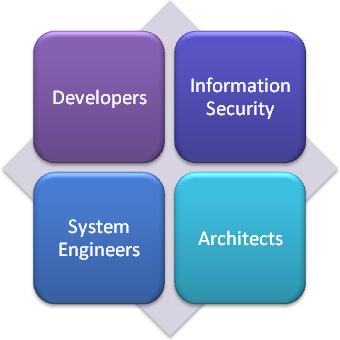 Developers
Developers must ensure that Information Technology (
IT) solutions align with approved technologies
and standards defined in the
VA TRM, including design and implementation guidance of technologies.
This policy affects
ALL IT Solutions produced under Enterprise Program Management Office (
EPMO) management.
IT Solutions produced under Enterprise Program Management Office (
EPMO) management that are not explicitly part of the Health,
Benefits or other segments that may be published in the future are governed by the
VA TRM for the
published segments.
Information Security
VA Office of Information Security (
OIS) works to ensure the confidentiality,
integrity, and availability of systems and data across the
VA Enterprise. To achieve its mission,
OIS works with developers and support teams through each phase of the system development lifecycle to
improve the overall security posture of the
VA and to ensure compliance with Federal and
VA Information Security policies.
System Engineers provide direction, changes, and review of infrastructure and platform technologies,
as well as solution designs of those technologies in
VA. This is accomplished through the
System Engineering Design Review (
SEDR) process and the established process to maintain the
VA TRM.
System Engineers
OIT IT Operations and Services (
ITOPS) must ensure that
VA infrastructure
initiatives only use technologies aligned with the
VA TRM, including the
VA Standards
documents. Additions or changes to these standards must be submitted through the OIT IT Operations and Services (
ITOPS) Technical Analysis Review
(
TAR) process. The
TAR process is also used to check alignment of solutions with
VA Standards. Any
IT solution with exceptions to these standards must have a
sufficiently justified exception, subject to final review and approval through the
TAR process.
OIT IT Operations and Services (
ITOPS) provides direction, changes, and review of infrastructure and platform technologies, as well as
solution designs of those technologies in
VA. This is accomplished through the
TAR
process and the established process to maintain the
VA TRM.
Architects
With the information in the
VA TRM, Architects can provide guidance to information technology projects and
stakeholders as to technologies and products that are allowed for use in the enterprise and can verify the architectural
alignment of the product selections made by projects.
Architects provide direction, changes, and review of technologies and their approved uses of those
technologies in
VA. This is accomplished through the established process to maintain the
VA TRM. Architects also provide these contributions through the
POA&M Compliance Enforcement.
NOTE: The information from this site alone should not be used to determine the suitability or compatibility
of any
VA TRM technology or standard. The consumer of this information has the responsibility to
consult the organizations responsible for the desktop, testing, and/or production environments to ensure the
intended use of the technology or standard is supported.
Process Overview
You are not authorized to view this tab.


